


Sıralama



Attention!
Wolfteam Cash Guide
Wolfteam is an online shooter where team-based action scenes stand out, and Cash is the in-game currency you use in this game to buy weapons, costumes and special items. Running on the Joygame infrastructure, this system lets you equip your character however you like by loading your Cash balance, and personalize your appearance and equipment on the battlefield. Loading via code is the most practical way to add a balance without linking your card details to your Joygame account.
Wolfteam Cash Packages: Which Amount Suits You
This page offers Cash packages in different amounts, from small purchases to bulk shopping, plus a discounted Legendary Package option. A low-amount package is enough for a single weapon or costume, while if you're planning to buy several items together, the higher-amount packages are more advantageous. Since the Legendary Package offers a different content balance compared to the standard packages, it's worth reviewing the package description before buying.
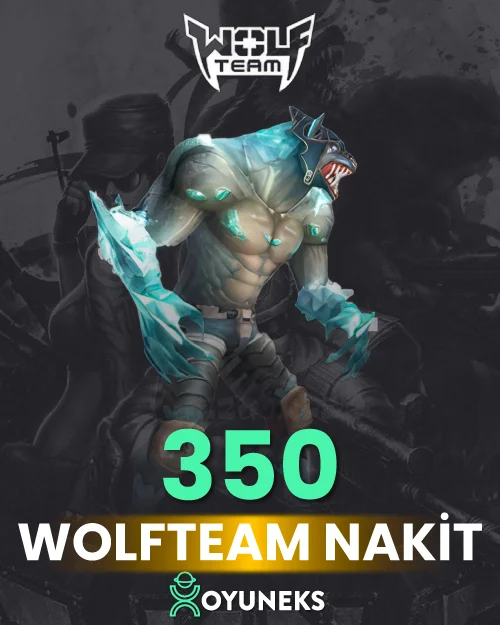
- 350 and 1,000 Cash are suited to small daily needs
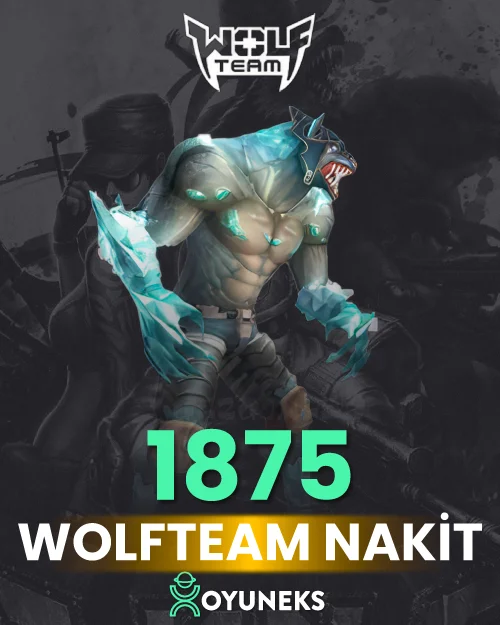
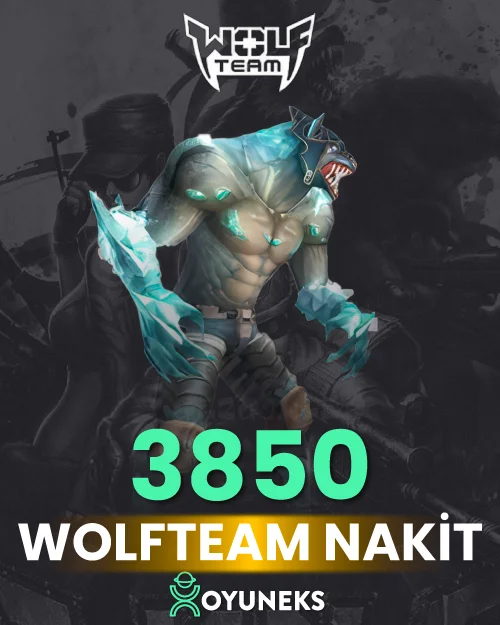
- 1875, 3850 and 5000 Cash cover medium-scale weapon and costume purchases
- 8000 Cash and the Legendary Package are for players looking for advantageous content
- 12,250, 21,250 and 35,000 Cash are for high-level needs, and 45,000 Cash is for the largest bulk purchases
How Much Is Wolfteam Cash in TL, Where to See Prices
The current amount of each package is shown in the price list at the top of this page. Comparing amount and price here before buying helps you choose the package that best suits you.
How Do You Load Wolfteam Cash?
- Log into Oyuneks.com, choose the Wolfteam Cash package you want and buy it
- Go to www.joygame.com and log in with your account
- Click the Load Joypara button at the top right
- Select the Perdigital option among the payment methods
- Write the code you bought and click the Continue button to complete the top-up
Things to Watch Out For
Before using the code, make sure you're logged in with the correct Joygame account, because the code cannot be used on a different account. Correctly selecting the Perdigital option at the payment step ensures the transaction completes without errors. Using the code within a reasonable time after receiving it prevents issues caused by sharing. Since the validity of Cash packages may change if your Wolfteam account is linked to a different game group, it's important to make sure your account is managed through Joygame. If the page refreshes during loading, checking your Joypara balance before restarting the transaction prevents the same code from being entered twice.
Why Oyuneks?
The Cash code you buy reaches your account automatically as soon as payment is confirmed. You can view your past Cash purchases anytime from your order history, making it easy to remember how much you topped up and when. If you run into a problem during loading, you can quickly get help through the live support line.
Paying with a code lets you complete the transaction without linking your card details to your Joygame account, which is a practical method for your account security. Calculating the total cost of the weapon or costume you need in advance and buying the right package in one go is generally more advantageous than making several small top-ups. If you're preparing for a special event with your teammates, completing your Cash balance before the event lets you renew your equipment in time, so you head into battle fully equipped.
Wolfteam Nakit - How to Top Up?
- Log in to oyuneks.com, select the Wolfteam Nakit package you want and buy it.
- Go to www.joygame.com and log in to your account.
- Click the JOYPARA YÜKLE button in the top right corner.
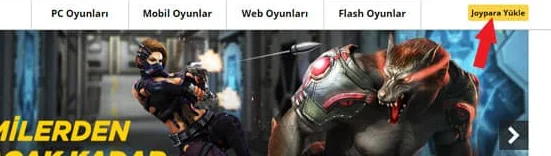
- On the page that opens, select Perdigital among the payment methods.
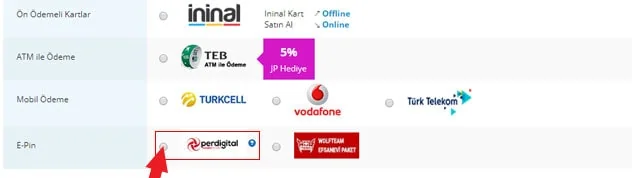
- Enter the code you purchased from oyuneks.com and click the Devam Et button.
That's it! The right address for cheap Wolfteam Nakit is oyuneks.com!
Your code appears in the orders section of your account as soon as payment is approved. Then: Go to www.joygame.com and log in to your account. Click the JOYPARA YÜKLE button in the top right corner. On the page that opens, select Perdigital among the payment methods. Enter the code you purchased from oyuneks.com and click the Devam Et button.
The code is not used on Oyuneks but on joygame.com. Sign in with your own account and paste the code into the relevant field.
This is a global product. If your account region is different the top-up may fail, so check your account region before buying.
Delivery is digital and runs 24/7. Processing starts the moment your payment is approved, and orders placed at night are handled the same way. You can follow your order from the orders section of your account.
Only enter your code in the code field on joygame.com and never share it; the code is single use and is applied to the account that redeems it. Oyuneks never asks for your account password. If you run into trouble, contact 24/7 live support with your order number. Payments are collected through the PayTR payment institution; your card details are never seen or stored by Oyuneks.
Wolfteam 350 Nakit is currently 11,49 TL at Oyuneks. The price updates in real time with seller offers; delivery details are shown on the product page.
Wolfteam 1.000 Nakit is currently 30,68 TL at Oyuneks. The price updates in real time with seller offers; delivery details are shown on the product page.
Wolfteam 1875 Nakit is currently 56,54 TL at Oyuneks. The price updates in real time with seller offers; delivery details are shown on the product page.
Wolfteam 3850 Nakit is currently 112,51 TL at Oyuneks. The price updates in real time with seller offers; delivery details are shown on the product page.
Wolfteam 5000 Nakit is currently 138,98 TL at Oyuneks. The price updates in real time with seller offers; delivery details are shown on the product page.
Wolfteam 8000 Nakit is currently 225,02 TL at Oyuneks. The price updates in real time with seller offers; delivery details are shown on the product page.
