


Sıralama
Attention!
Joypara Guide: Loading Balance in Joygame Games
Joypara is the virtual currency valid in games published on the Joygame platform, such as Metin2 and Silkroad. After buying the code, you credit it to your Joygame account and can spend your balance in in-game stores. Since it works through a digital code instead of a physical card, the process is completed within a few minutes, and the same balance is valid across all games under the Joygame umbrella.
Joypara Packages
The page offers packages of different sizes, starting from 1,000 Joypara up to 100,000 Joypara. The tiers in between (such as 2,750, 5,000, 10,000, 12,750, 20,000, 30,000, 50,000, 80,000 Joypara) let you make a small or large purchase depending on your needs. The same Joypara balance is also valid in other games under the Joygame umbrella, such as Wolfteam, so you can spend a single code across multiple games. If you have small daily needs, low-denomination packages may be advantageous; if you're a regular, heavy player, high-denomination packages may be more advantageous.
How Much Is Joypara in TL, Where Can You See the Prices?
The current value of each package is listed in the price list on this page. Since the unit price advantage may change as the Joypara amount increases, it makes sense to compare all the options on the list before choosing the package closest to the amount you need. Since prices are updated from time to time, checking the list right before placing your order lets you see the most accurate amount.
How to Load Joypara?
- Log in to Oyuneks.com and buy the Joypara package you want.
- Go to joygame.com and log in to your account.
- Click the Load Joypara button in the top right corner.
- Select the Perdigital option among the payment methods.
- Enter the code you got from Oyuneks in the relevant field and click Continue.
Points to Note
Make sure you are logged in to the correct Joygame account when entering the code, because once a code is used it cannot be transferred to another account. Be careful not to skip the Perdigital payment step; this step forms the bridge between the code and the balance, and the code will not be accepted if the wrong payment method is selected. The code should not be left unused for a long time; it's recommended to complete the top-up as soon as possible after purchase. Attempting to load through the wrong game or the wrong account may cause the code to be considered invalid. After the top-up is complete, checking from within the game whether the balance has been reflected in your account helps you catch any issue early.
Which Games Is Joypara Valid In?
Joypara is not specific to a single game; the same balance can be used across multiple games published by Joygame, such as Metin2, Silkroad, and Wolfteam. This is an advantage for users who play more than one Joygame title, because you can spend a single code across different games depending on your needs. Planning in advance how much you'll spend in which game helps you choose the right denomination.
Where Is the Joypara Code Stored?
The code you purchase is processed to your account the moment payment is confirmed and stays stored in your order history so you can view it again whenever you want. You don't have to use the code right away; if you want, you can view the code from the same screen a few days later and complete the top-up then. This way, you don't need to do anything extra, like writing the code down somewhere or taking a screenshot.
Why Oyuneks?
At Oyuneks, the Joypara code you purchase automatically appears on your order page right after payment is confirmed, and you can access it again from your order history whenever you want. Since the code can be viewed again from the same screen, even if you forget to save it during the top-up, you can go back to your account and access the code. If you get stuck at any point during the top-up, you can get help through live support.
How to Top Up Joypara?
- Log in to oyuneks.com and buy the Joypara package you want.
- https://www.joygame.com/ and log in to your account.
- Click the TOP UP JOYPARA button in the top right of the screen.
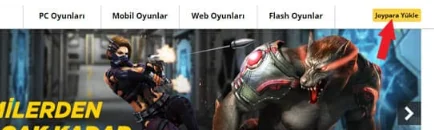
- On the page that opens, select the Perdigital option from the payment methods.
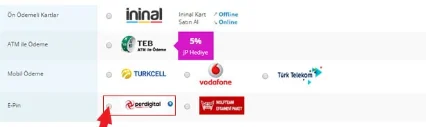
- Enter the code you bought from oyuneks.com and click the Continue button.
That's it!
The right address for cheap Joypara is oyuneks.com!
Your code appears in the orders section of your account as soon as payment is approved. Then: https://www.joygame.com/ and log in to your account. Click the TOP UP JOYPARA button in the top right of the screen. On the page that opens, select the Perdigital option from the payment methods. Enter the code you bought from oyuneks.com and click the Continue button.
The code is not used on Oyuneks but on joygame.com. Sign in with your own account and paste the code into the relevant field.
Delivery is digital and runs 24/7. Processing starts the moment your payment is approved, and orders placed at night are handled the same way. You can follow your order from the orders section of your account.
Only enter your code in the code field on joygame.com and never share it; the code is single use and is applied to the account that redeems it. Oyuneks never asks for your account password. If you run into trouble, contact 24/7 live support with your order number. Payments are collected through the PayTR payment institution; your card details are never seen or stored by Oyuneks.
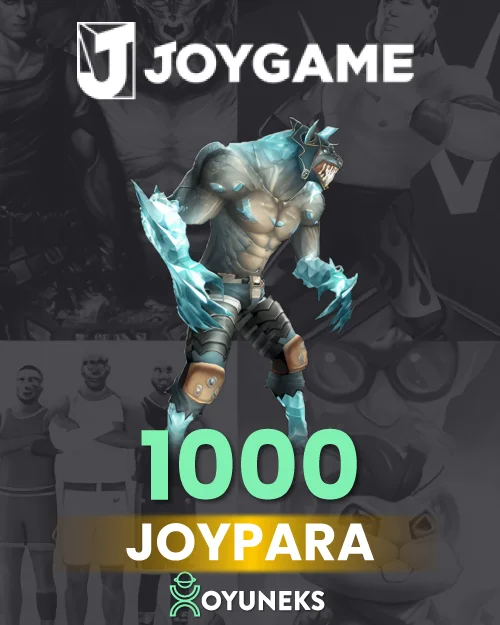
Joygame 1000 Joypara is currently 11,49 TL at Oyuneks. The price updates in real time with seller offers; delivery details are shown on the product page.
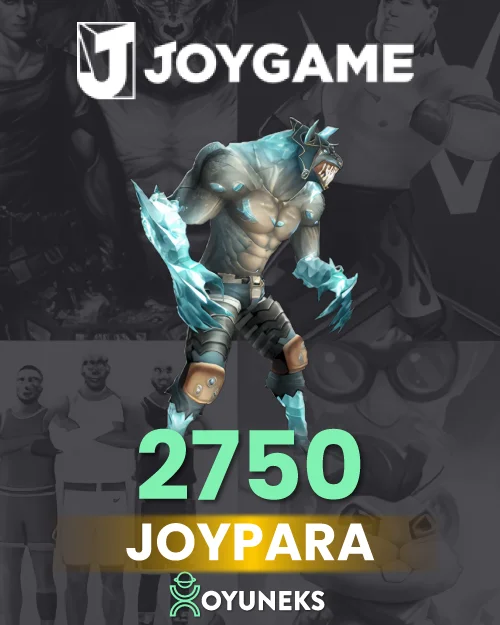
Joygame 2750 Joypara is currently 31,90 TL at Oyuneks. The price updates in real time with seller offers; delivery details are shown on the product page.
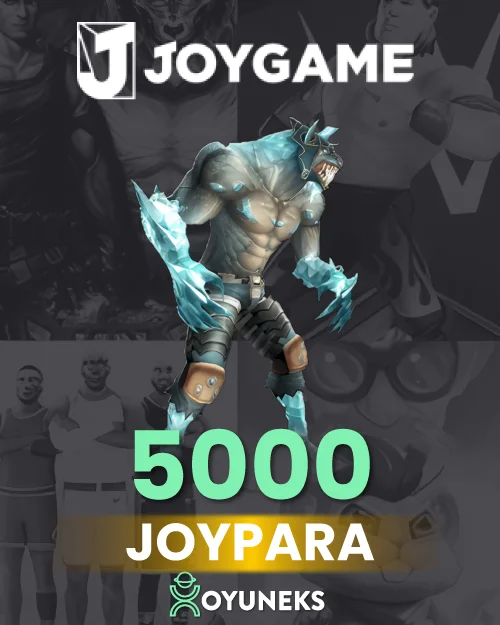
Joygame 5000 Joypara is currently 57,12 TL at Oyuneks. The price updates in real time with seller offers; delivery details are shown on the product page.
Joygame 10.000 Joypara is currently 115,44 TL at Oyuneks. The price updates in real time with seller offers; delivery details are shown on the product page.
Joygame 12.750 Joypara is currently 142,61 TL at Oyuneks. The price updates in real time with seller offers; delivery details are shown on the product page.
Joygame 20.000 Joypara is currently 230,89 TL at Oyuneks. The price updates in real time with seller offers; delivery details are shown on the product page.
