




Fortnite V-Bucks
Fortnite V-Bucks Guide: Topping Up with the V-Papel Code
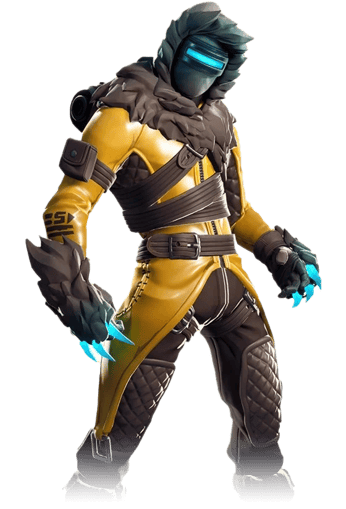
You need V-Bucks in Fortnite to get content like character skins, dance emotes, countdown screens, and the Battle Pass. On oyuneks.com, V-Bucks is sold through Razer's V-Papel code: the code you buy is assigned as V-Bucks to your Epic Games account via fortnite.com/vbuckscard. This method lets you safely top up your balance without sharing account information directly, and it's a delivery method widely used in many countries.
V-Papel Denominations
Fortnite V-Papel Razer Pin is offered in a wide range from 5 TL to 5,000 TL: options of 5, 10, 15, 25, 50, 100, 250, 500, 1,000, and 5,000 TL are available. Small amounts are preferred for a single cosmetic item or completing a small Battle Pass, while high-value codes are suitable for those who want to get both the Battle Pass and multiple items from the store at once. Depending on your need, you can buy multiple codes to raise your balance to the level you want, or get a single high-value code to avoid redeeming frequently.
How Much Is Fortnite V-Bucks in TL?
The amount of V-Bucks corresponding to each V-Papel code is not fixed and is updated based on the exchange rate; so you need to check the exact amount from the current price list on this page. The price list shows the current V-Bucks equivalent of the denomination you choose, and this ratio may change during campaign periods.
Which Accounts Can V-Bucks Be Used On?
The V-Papel code redeemed via fortnite.com/vbuckscard is assigned to the Epic Games account you log in with. Even if you play Fortnite on different platforms like PlayStation, Xbox, PC, mobile, or Nintendo Switch through this account, your V-Bucks balance appears on the same account, because Epic Games ties the balance to the account, not the platform. So making sure which Epic Games account you play with before redeeming the code ensures the balance appears in the right place.
How to Top Up Fortnite V-Bucks?
- Buy the V-Papel package you want through oyuneks.com; the code is sent to you.
- Go to fortnite.com/vbuckscard and log in with your Epic Games account.
- Enter the V-Papel code you got from oyuneks.com into the relevant field.
- Click the confirm button.
- Check that your V-Bucks balance has been loaded to your account.
Things to Watch Out For
When redeeming the code, make sure the Epic Games account you're logged into is the same account you use on the platform (PC, console, mobile) where you play the game; V-Bucks is assigned per account, not per device or platform. Since V-Papel codes may be region-specific, if the redeem page doesn't accept the code, it's helpful to check your account's region. Don't share the code with anyone; it's single-use and cannot be refunded once used. Also, if you experience display issues caused by browser cache while redeeming the code, refreshing the page and trying again usually solves the problem.
Why Oyuneks?
As soon as your order is confirmed, your V-Papel code is automatically generated and sent to your account. It stays recorded in your past orders panel, so you can access it there if you need to see the code again. If you get stuck during redemption, you can get quick help through live support. Thanks to the wide range of denominations, whether you want a low-value or high-value code, it's easy to find the option closest to your need. You can complete the code purchase from anywhere without needing to open the game, and do the redemption later at a convenient time.
When Is Fortnite V-Bucks Delivered?
Once payment is confirmed, your V-Papel code usually reflects instantly on your account and order page. During busy campaign periods or situations requiring extra checks depending on the payment method, delivery may take a few minutes; you can track the order status from your account during this time. Once the code arrives, you can redeem it whenever you want; there's no expiration date rushing you.
Frequently Asked Questions
Fortnite V-Bucks codes are sold as TL-based V-Papel packages; current prices for packages like 25 TL and 100 TL are in the price table on this page.
Buy the V-Papel code from Oyuneks, log in to your Epic Games account at fortnite.com/vbuckscard, enter the code in the relevant field, and confirm.
The 5 TL or 10 TL V-Papel packages are among the lowest-value options available; larger packages are also available if you need more.
The V-Papel code can be redeemed to any Epic Games account through fortnite.com/vbuckscard; just log in to your account and use the code.
Once payment is complete, the V-Papel code appears on the order page and in your email, and you can redeem it to your Epic Games account right away.
Yes, on Oyuneks the code is added to your order right after payment; if you run into any issue, you can get help through 24/7 live support.
